HubSpot is one of the most widely known all-in-one marketing platforms, offering tools that combine CRM, marketing automation, sales, customer support, and analytics into a single ecosystem.
For small businesses, HubSpot is often considered as a long-term marketing platform rather than a short-term tool. This review takes a practical look at HubSpot’s features, AI capabilities, pricing structure, and use cases to help businesses understand whether it fits their needs.
What Is HubSpot?
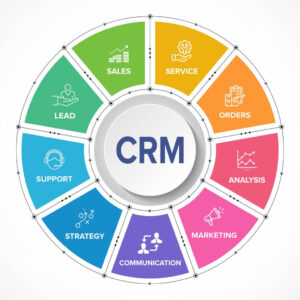
HubSpot is a cloud-based customer platform designed to help businesses manage marketing, sales, and customer relationships in one place.
Instead of relying on separate tools for email marketing, CRM, automation, and reporting, HubSpot provides an integrated system built around a central CRM. Over time, the platform has expanded to include AI-powered features that assist with automation, content, and performance insights.
HubSpot is commonly used by:
-
Small and mid-sized businesses
-
Marketing teams
-
SaaS companies
-
Service-based businesses
HubSpot’s Core Hubs Explained
HubSpot is structured around multiple “Hubs,” which can be used individually or combined.
Marketing Hub
The Marketing Hub focuses on campaign execution and automation, including:
-
Email marketing
-
Marketing automation workflows
-
Landing pages and forms
-
Campaign tracking and analytics
-
AI-assisted content tools
Sales Hub
The Sales Hub supports pipeline and deal management:
-
CRM-based sales pipelines
-
Email tracking and automation
-
Meeting scheduling
-
Forecasting and reporting
Service Hub
Designed for customer support and retention:
-
Ticketing systems
-
Knowledge base
-
Customer feedback tools
-
Automation for support workflows
Content Hub (formerly CMS Hub)
For website and content management:
-
Website pages and blogs
-
Personalization tools
-
SEO recommendations
-
Content performance tracking
All hubs are connected through HubSpot’s central CRM.
AI Capabilities in HubSpot
HubSpot’s AI features are designed to support efficiency rather than replace strategy.
Key AI-powered capabilities include:
-
Content assistance: AI-generated drafts, subject line suggestions, and content optimization
-
Automation insights: Recommendations for workflow improvements
-
Predictive lead scoring: AI-based prioritization of leads
-
Analytics and reporting: AI-assisted insights into campaign performance
These features aim to reduce manual work while keeping users in control of decisions.
Ease of Use and Onboarding
HubSpot is known for its structured onboarding experience.
What works well:
-
Clean and intuitive interface
-
Extensive documentation and tutorials
-
Guided setup for key features
Potential challenges:
-
Advanced features require time to learn
-
Automation workflows can feel complex for beginners
For small teams without prior marketing automation experience, onboarding time should be factored into the decision.
Pricing Overview
HubSpot offers a free CRM, with paid plans for each Hub.
General pricing structure:
-
Free tools available for CRM and basic features
-
Starter, Professional, and Enterprise tiers
-
Pricing increases as contact lists and features expand
While HubSpot’s entry point is accessible, costs can scale as businesses grow and require advanced automation or reporting.
Integrations and Ecosystem

HubSpot integrates with a wide range of third-party tools, including:
-
Email platforms
-
Analytics tools
-
Advertising platforms
-
Customer support software
Its marketplace provides native integrations and APIs, making it suitable for businesses planning to expand their tech stack over time.
Pros and Cons
Pros
-
True all-in-one platform with centralized CRM
-
Strong marketing automation and analytics
-
Extensive learning resources and support
-
Scalable ecosystem for growing businesses
Cons
-
Pricing can increase significantly at higher tiers
-
Some advanced features require higher plans
-
Not ideal for businesses seeking lightweight tools only
Who Is HubSpot Best For?
HubSpot is best suited for:
-
Small to mid-sized businesses planning long-term growth
-
Marketing teams that value structure and reporting
-
Businesses seeking a single source of truth for customer data
It may be less suitable for:
-
Solo founders needing minimal features
-
Teams looking for low-cost, single-purpose tools
HubSpot vs Other All-in-One Marketing Platforms
Compared to other all-in-one platforms, HubSpot emphasizes:
-
Strong CRM-first architecture
-
Comprehensive documentation and support
-
Enterprise-grade scalability
Other platforms may offer more flexibility or lower costs, but HubSpot stands out for businesses prioritizing consistency and long-term structure.
Common Questions About HubSpot
Is HubSpot suitable for beginners?
Yes, but beginners should expect a learning curve when using automation and advanced features.Can HubSpot replace multiple tools?
For many businesses, HubSpot can replace email marketing, CRM, and basic analytics tools.Is the free version enough?
The free version is useful for testing, but most businesses require paid plans to access automation and reporting.Final Verdict
HubSpot is a comprehensive all-in-one marketing platform designed for businesses that value structure, scalability, and data-driven decision-making.
While it may not be the simplest or cheapest option, its integrated ecosystem and AI-assisted features make it a strong consideration for small businesses planning sustainable growth.
Choosing HubSpot ultimately depends on how much complexity and scalability your business needs today—and how much it expects to need in the future.
-
Affiliate Disclosure
Some links on this page may be affiliate links. This does not affect our editorial independence, analysis, or recommendations.